“Dive into the intuitive interfaces tailored for the different personas using the application. Each screenshot showcases the powerful features designed to streamline the workflow.”
For Pharma Teams:
Centralized Dashboard: Access a comprehensive dashboard for all trials.
Role-Based Access: Provide role-based access to managers.
Real-Time Information: Obtain detailed, real-time information on doctors and CRFs.
For CRO Teams:
Centralized Trial Management: Manage multiple clinical trials simultaneously across different pharmaceutical companies.
Contract Management: Add and manage contracts efficiently.
Batch Onboarding: Onboard doctors in batches using CSV uploads.
Search and Communication: Utilize search functionality to identify doctors and send onboarding emails.
For Doctors:
Single-Time Detail Upload: Upload personal details (PAN, Bank Account details, GST certificate) once, with the system storing them permanently.
Responsive CRF Forms: Fill out CRF forms on mobile, tablet, or laptop/desktop devices.
Quick Onboarding: Onboard a Pharma team and their studies in less than 24 hours
Pharma Admin
1) Clinical Trial Management
Pharma administrators oversee multiple clinical trials, ensuring compliance with regulatory requirements in addition to managing budgets.
2) Role-Based Access Control
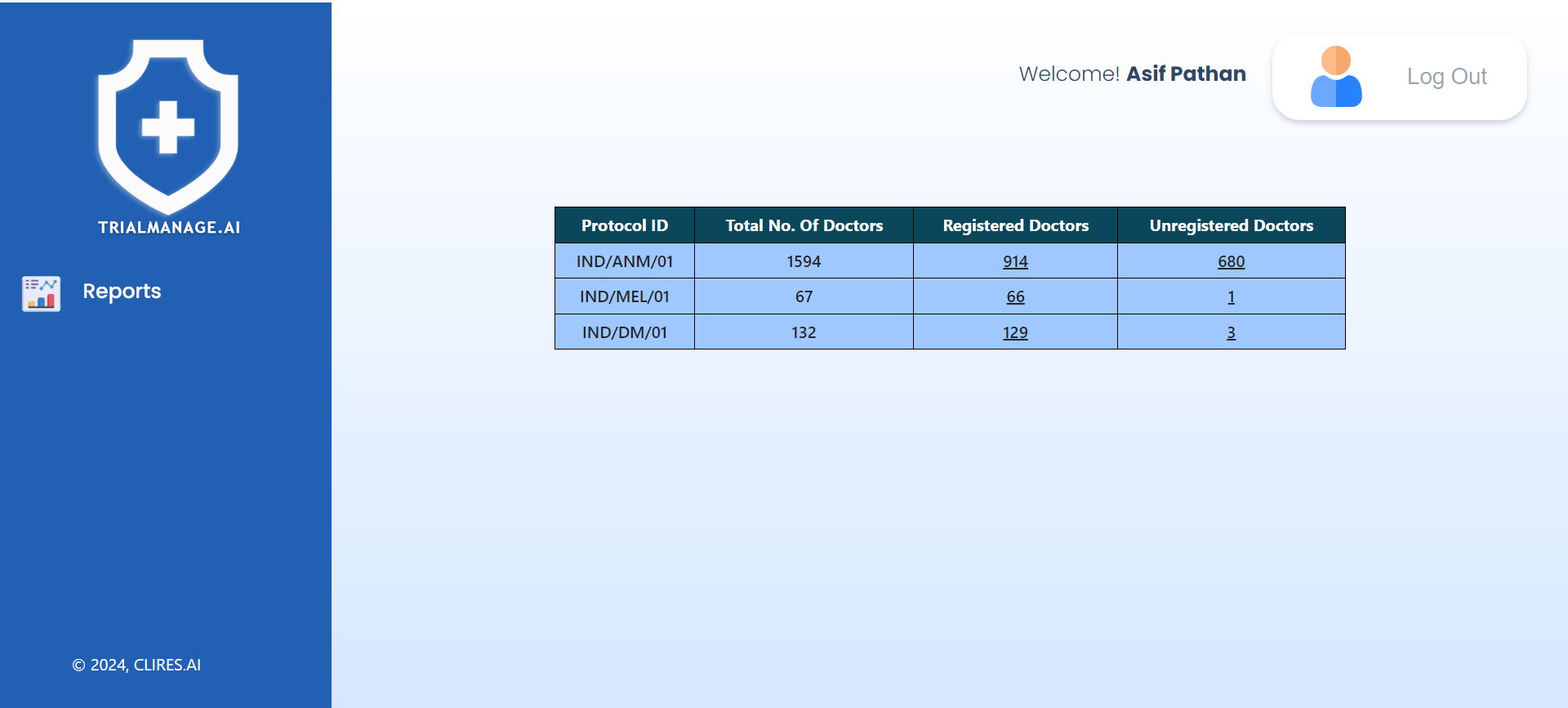
Pharma administrators can provide role-based access to Project Managers for specific trials, allowing them to manage only their assigned trials while the admin maintains visibility over all trials.
Pharma Landing Page
Pharma administrators can provide role-based access to Project Managers for specific trials, allowing them to manage only their assigned trials while the admin maintains visibility over all trials.
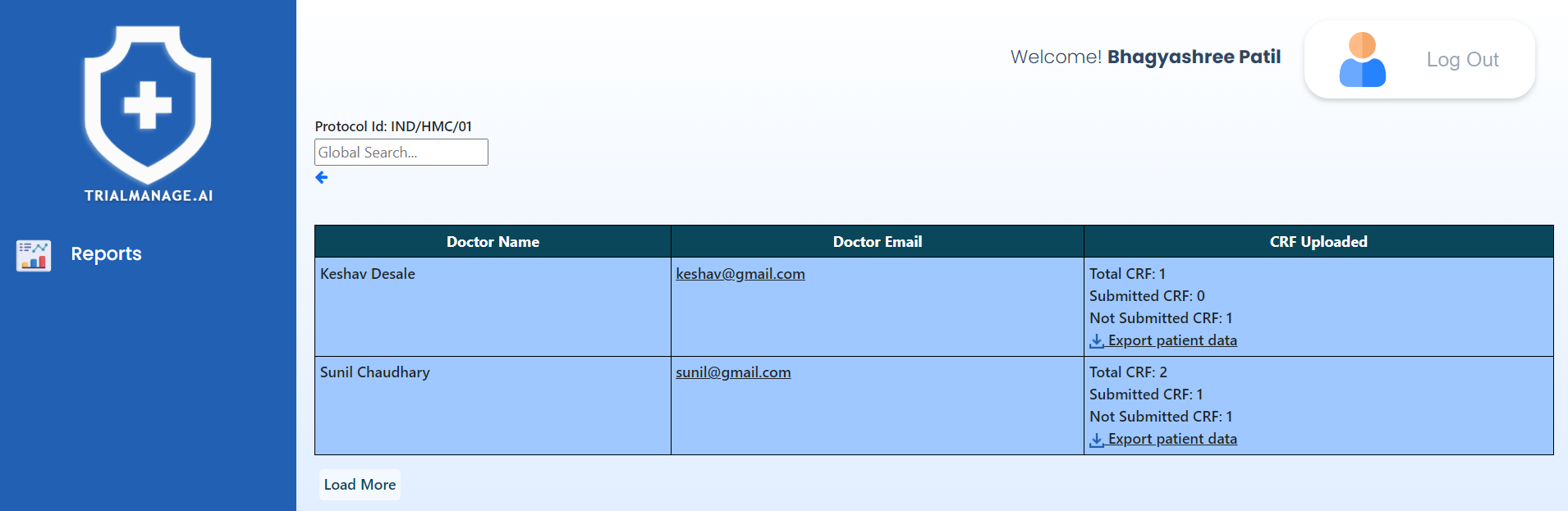
Registered Doctors (Per Trial)
On this page, you’ll find a paginated roster of registered doctors.
By clicking “Export patient data,” you
can access a PDF summary of the CRFs.
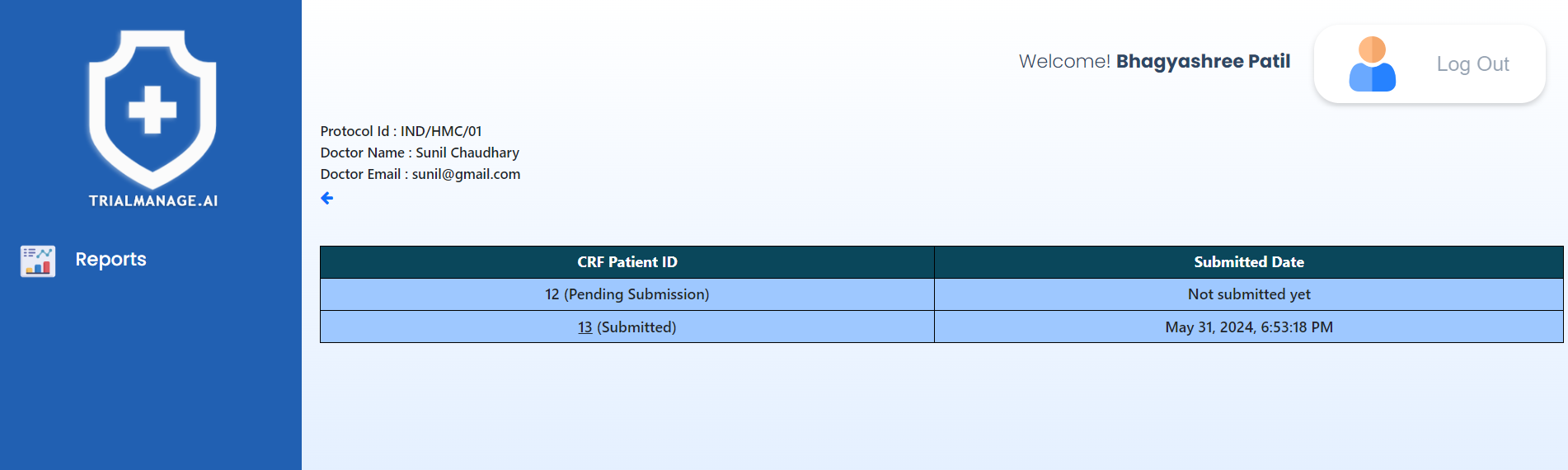
Patient and CRF information
This page displays a paginated list of CRFs, each accompanied by a timestamp indicating when it was completed.
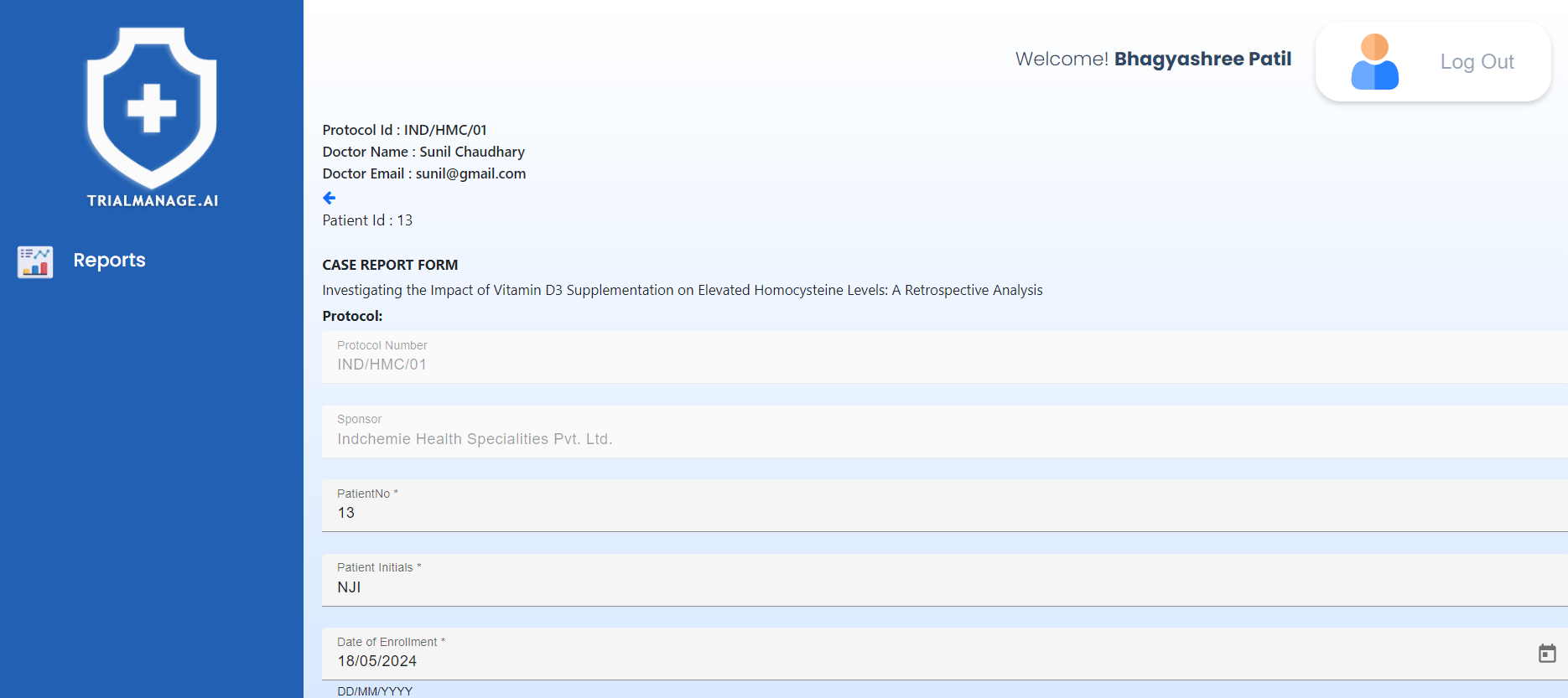
Clicking on any patient ID allows you to view the CRF form in read-only mode,
enabling you to review the submitted details.
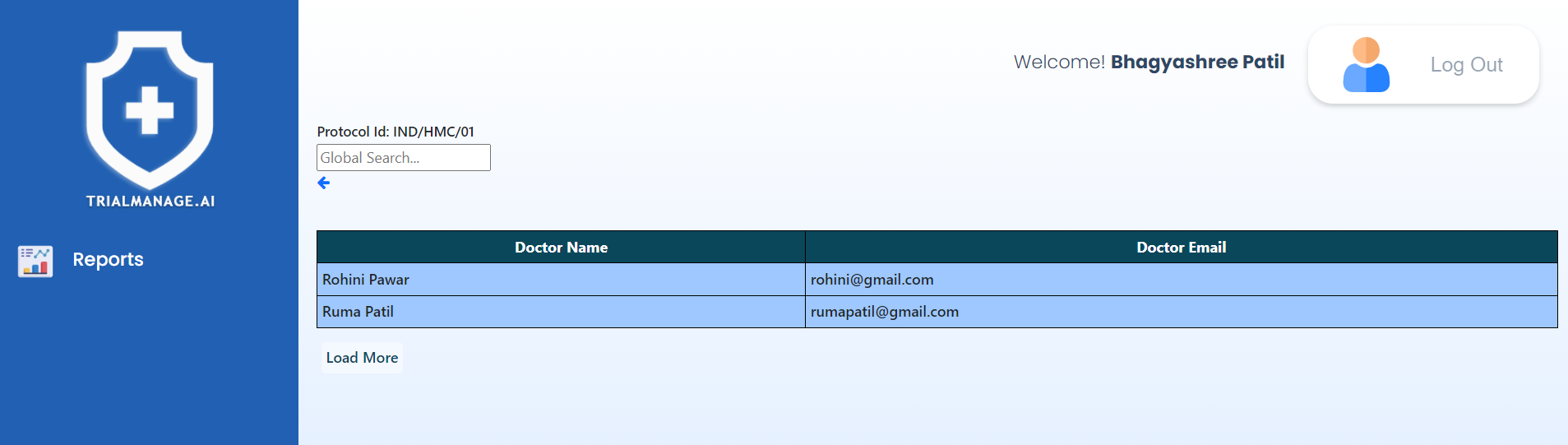
Unregistered Doctors (per trial)
This page will present the names and email details of unregistered doctors.
Doctors/Investigators
Role in Clinical Trials
Doctors play a critical role in clinical trials, from patient recruitment to data collection. They help ensure that clinical trials are safe and effective for patients.
Doctor Registration and Role
After completing the registration process, doctors are able to access their accounts and input various information such as their PAN card, Banking details, and GST certificate.
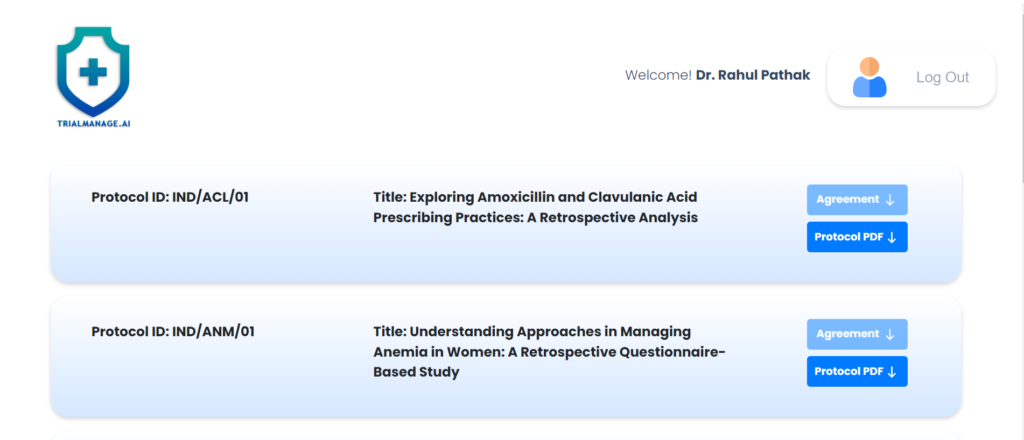
Doctor Landing Page
After being onboarded, doctors receive an email containing a link to access the application along with their credentials.
Upon logging in, they are directed to the landing page, displaying all the studies they have access to.
Clicking on the “Agreement” button for a specific study will initiate the download of the Study Agreement, and likewise, clicking on the Protocol PDF button will download the Protocol document.
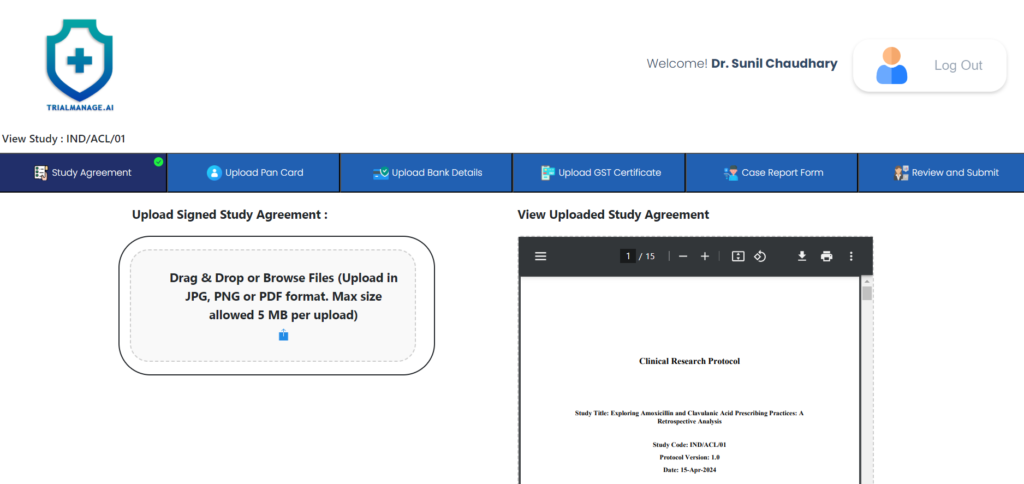
Study Agreement Page
On this page, the doctor can upload the
signed study agreement.
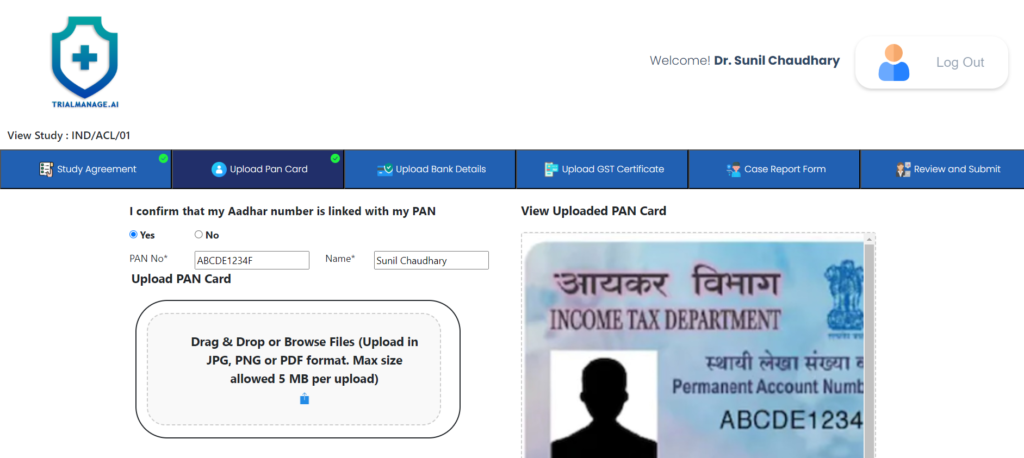
PAN Card Upload Page
On this page, the doctor can upload the PAN card photo as well as provide the details.
This is a one-time activity and for all subsequent studies where the doctor is involved, the system will show the existing
details.
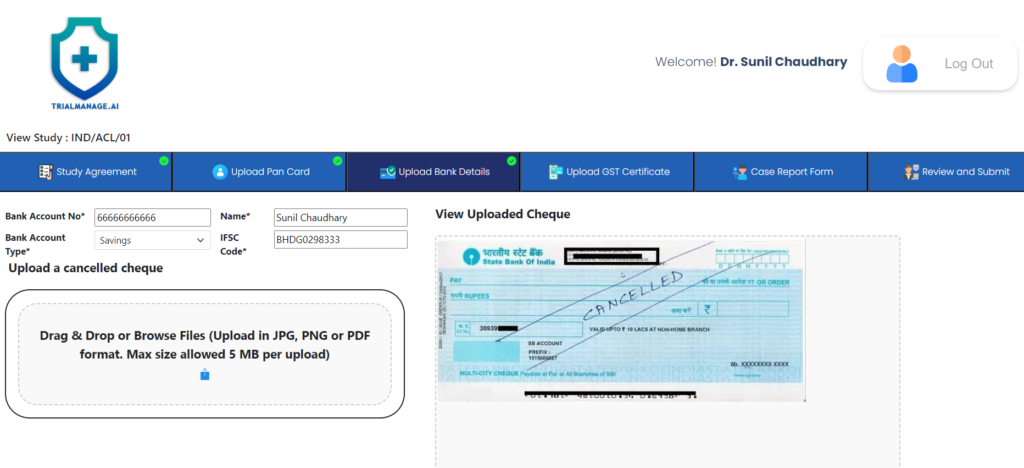
Bank Details Upload Page
On this page the doctor can provide his bank account details and upload a cancelled
cheque as well.
This is a one-time activity and
for all subsequent studies
where the doctor is involved,
the system will show the
existing details.
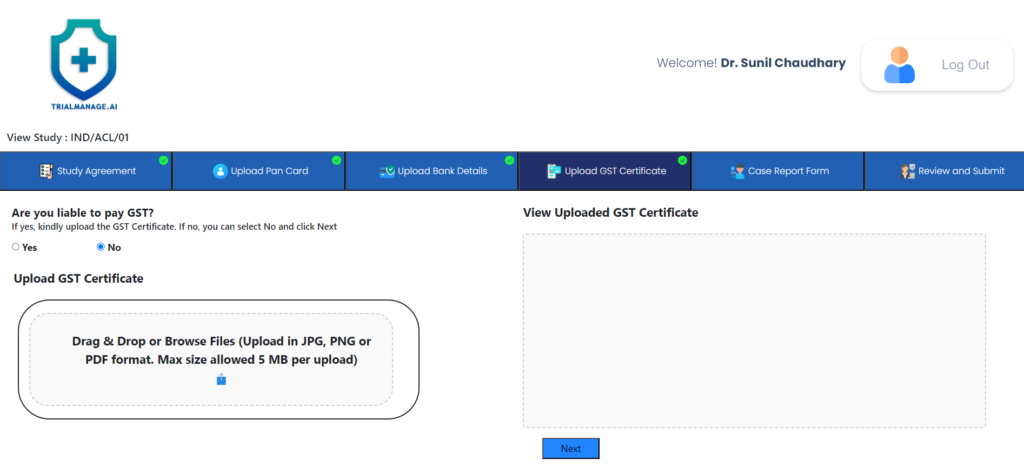
GST Certificate Upload Page
At this point, the doctor can provide his/her GST certificate if they are liable
to pay GST.
If not, they can select NO and move on to the next step.
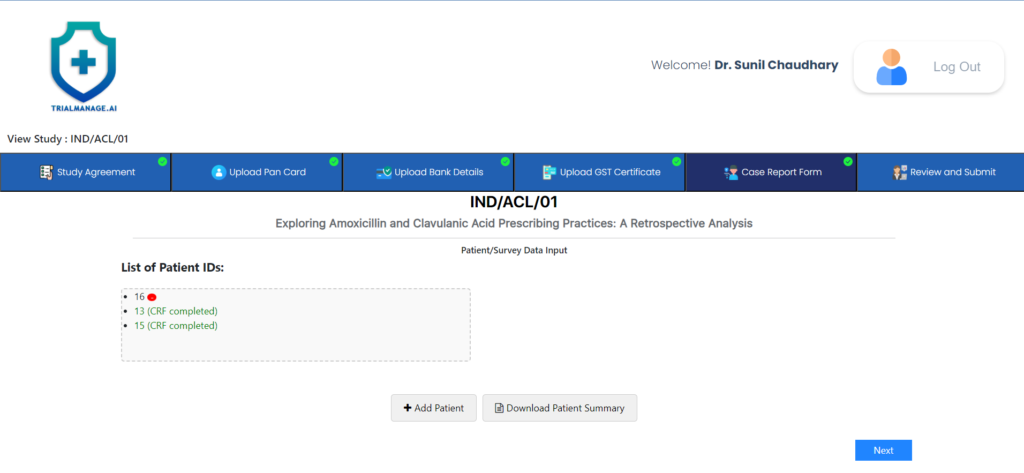
Manage Case Report Form Page
At this point, the doctor can begin
completing CRFs and updating any
existing ones.
Additionally, they can opt to download a
PDF summary of the CRFs.
By clicking on “Add Patient” or selecting
any existing CRF from the List of Patient
IDs box, they will be directed to the CRF
page.
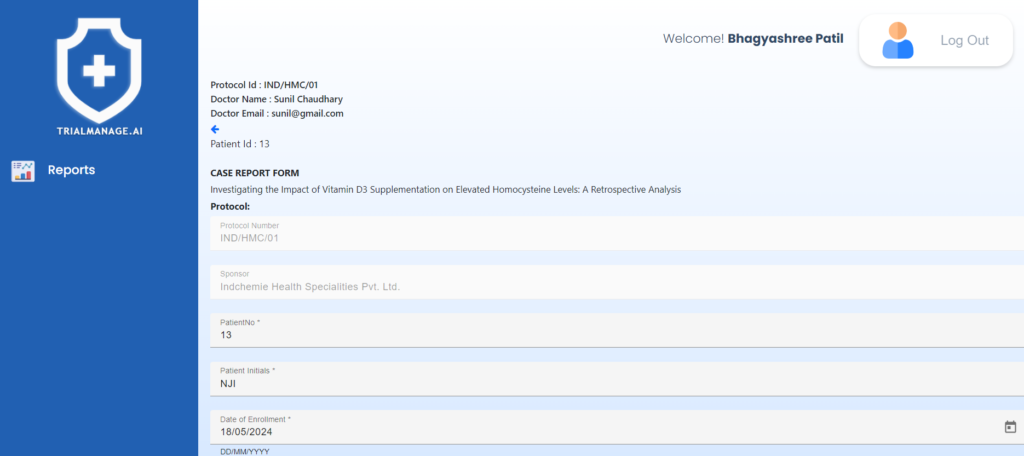
Case Report Form Page
It features a digital form incorporating
dropdown menus, radio buttons, and
multiple-choice responses to make filling
process easy & quick.
The form automatically saves progress every few seconds, allowing doctors to fill it out
gradually over time per their convenience.
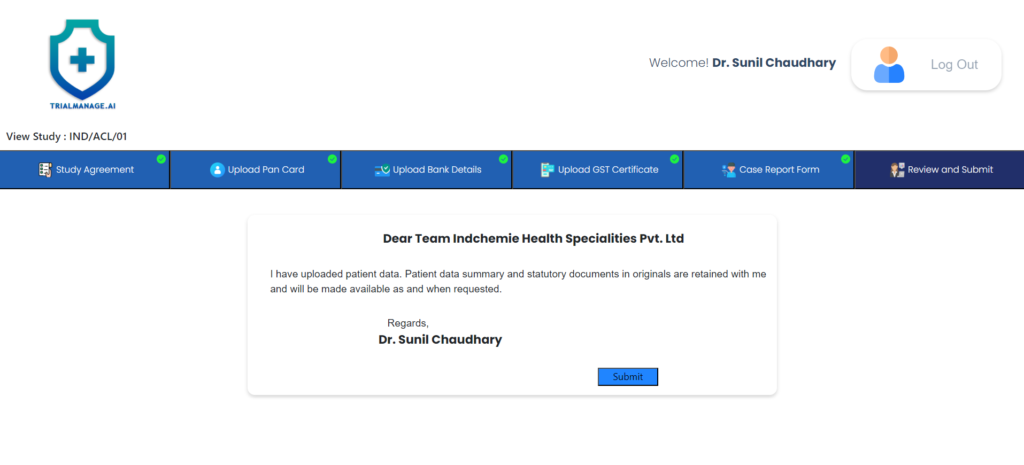
Review and Submit page
After completing all the CRFs, the doctor can proceed to the next step to review and submit their work.
Once submitted, the CRFs will be accessible to the Pharma team for validation and further processing.
For more information about Trial Manage, you can download the detailed PDF